
A set that flows, keys the room can sing, a band that's ready.
Key Change turns Claude, ChatGPT, Gemini or Grok into a music director's assistant. Build sets around the sermon theme with keys that flow, pick keys for your singers and the congregation, work out capo positions, plan rehearsals that finish on time, schedule the team and write the run sheet. It works from song titles and keys, and reminds you about licensing.
Get Key Change Worship Planner for $5 Transpose
$5 once · card, Apple Pay or Google Pay · download in a minute
Into more than one hobby? Get all 70 hobby skills for $19, this one included.
- One-time $5
- Instant email delivery
- 14-day refund
- Works in Claude, ChatGPT, Gemini and Grok
Set plan: Sunday, "Hope that holds"
Contemporary service · 22 minutes · Band of 5 · Sermon: Hebrews 6:19
Keys: G to A to DCapo 2 for acousticRun sheet included
- GOpener, upbeat, 4:30Full band, count in at 120 BPMGather
- ADeclaration song, 5:10Lift a whole step: hit E (the V) to land itLift
- DResponse song, 6:00Up a fourth: the A chord pivots straight inRespond
- PadPrayer over a D pad, 1:30Keys hold; guitars outPray
- NoteLyrics on screen under your CCLI licenceReport the songs used this weekLicense
The planning behind a Sunday set
One skill, six jobs. Claude, ChatGPT, Gemini or Grok picks the right one from what you ask.
Set lists by theme and flow
Songs that fit the sermon and the season, ordered for energy and keys that move naturally.
Keys, transposing and capo
Best keys for your leaders and the room, chord charts moved to any key, and capo shapes for guitar.
Rehearsal plans
Minute-by-minute rehearsals that start with the hard parts and finish on time.
Team scheduling
Fair rotations for vocalists, band and tech, with blackout dates and new players paired with veterans.
Service run sheets
Every cue: songs, keys, BPM, transitions, readings, prayer, lights and slides, on one page.
Licensing reminders
CCLI, One License and streaming licence reminders. It never prints copyrighted lyrics.
Ask it like you'd ask a seasoned music director
It knows keys, voices and bands, and respects songwriters.
Try A
Moving from B to A drops everything 2 semitones, so the melody runs from A3 to D5, right at the top of your leader's comfortable range and not past it.
For the congregation
A top note of D5 is fine for most rooms. If people drop out on the chorus, try G: the top note becomes C5.
For the guitars
- A: play open A shapes, or capo 2 with G shapes
- G: no capo, G shapes
Give bass and keys the chart in the real key, and update the key in your planning software so the slides and click match.
Example answer from the full skill. Your answers depend on what you ask.
Honest about the music and the rights
Worship is people singing together. Key Change handles the logistics so you can lead.
- No copyrighted lyricsIt works from titles, keys and structure. Lyrics come from licensed sources under your church's licence.
- The room's range firstIt favors keys a congregation can sing over a leader's best solo key.
- Theme-fit, not theology rulingsIt matches songs to themes from what you tell it. Your pastor decides what fits your church's teaching.
- Math you can checkTransposition, capo and delay times are shown with the working.
Up and running in two minutes
No app to learn and nothing to install on your computer. It lives inside Claude, ChatGPT, Gemini or Grok.
Buy once
Pay $5 by card, Apple Pay or Google Pay. Your download link arrives by email in about a minute.
Add it to Claude, ChatGPT, Gemini or Grok
Upload the ZIP under Skills in Claude, or the unzipped folder in Gemini. It takes about 30 seconds. In Grok, upload the ZIP, or paste the included paste-in file into a new skill. In ChatGPT, add the included paste-in file to a Project.
Just ask
"Build a 25-minute set on grace with keys that flow." "Transpose this chart to Bb and give me capo options." "Plan a 90-minute rehearsal."
Pick your app for the exact clicks
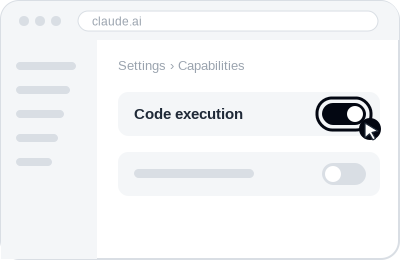
1In Settings, then Capabilities, turn on code execution.
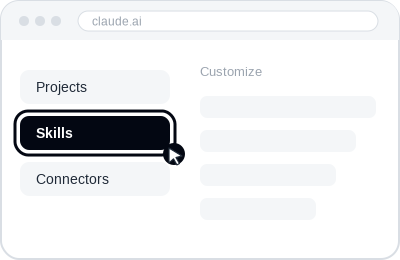
2Open Customize, then Skills.
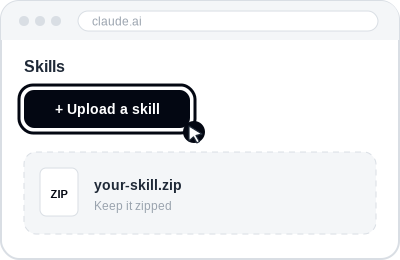
3Click +, choose Upload a skill, pick the ZIP. Keep it zipped.
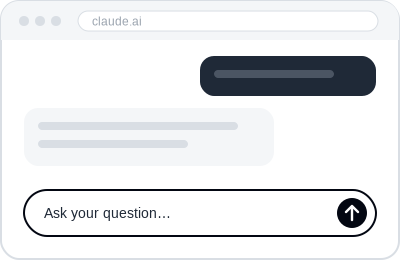
4Start a new chat and ask. Claude picks up the skill.
Works on every Claude plan, including the free one. Free plans have lower usage limits.
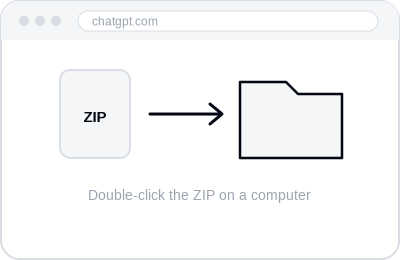
1On a computer, unzip the download and find ANY-AI-PASTE-VERSION.txt.
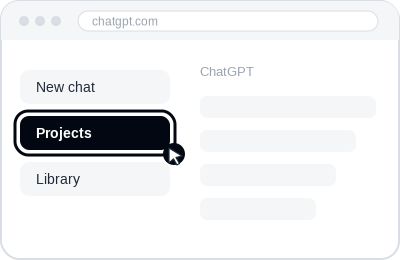
2In ChatGPT, open Projects and make a new project.
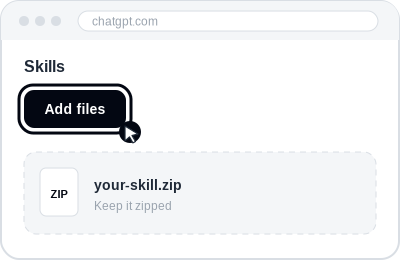
3Add the .txt file to the project. In its instructions, type: Follow the attached file.
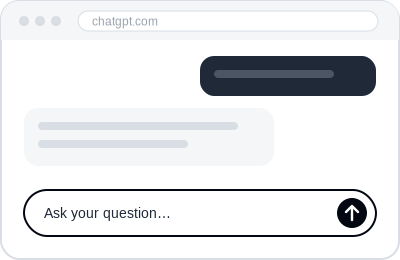
4Start a chat in that project and ask. On a Business, Enterprise or Edu plan, you can upload the ZIP under Skills instead.
Personal ChatGPT plans (Free, Plus, Pro) don't have a Skills page yet, so you use the paste-in version in a Project. On a Business, Enterprise or Edu plan, go to chatgpt.com/skills, choose Add, then Upload from your computer.
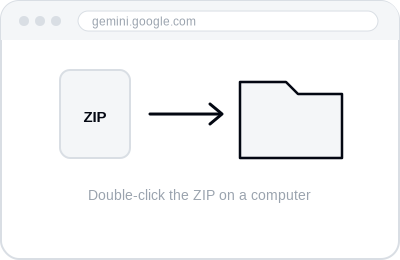
1On a computer, unzip the download. You get a folder.
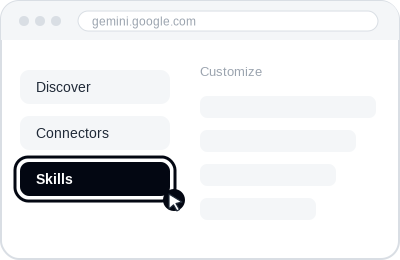
2At gemini.google.com, open Customize, then Skills.
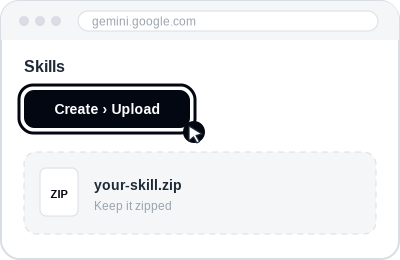
3Choose Create, then Upload, then folder. Pick the unzipped folder.
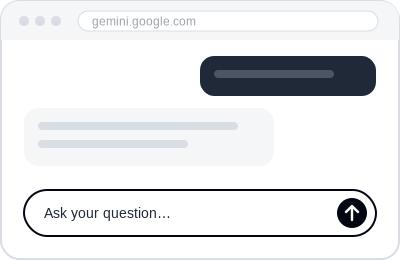
4Start a new chat and ask.
Gemini takes the unzipped folder, not the ZIP. Menus in Gemini change often, so names may differ slightly.
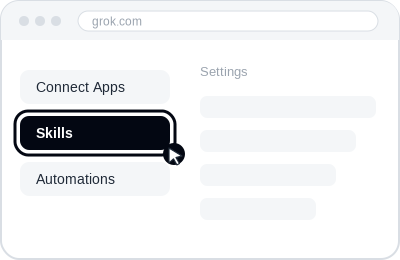
1At grok.com, open Settings, then Skills.
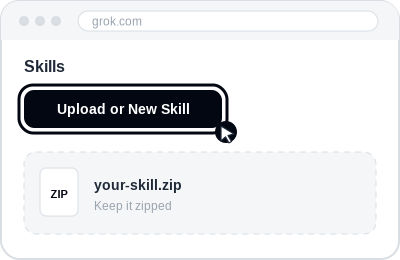
2If you see Upload, pick the ZIP. If you only see New Skill, use the next step.
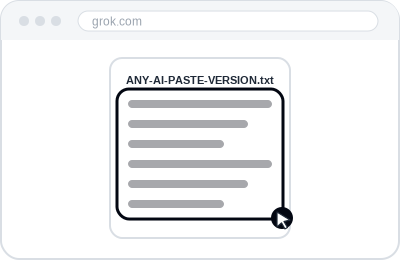
3New Skill: name it, then paste the text of ANY-AI-PASTE-VERSION.txt (below the line of equals signs) into Instructions.
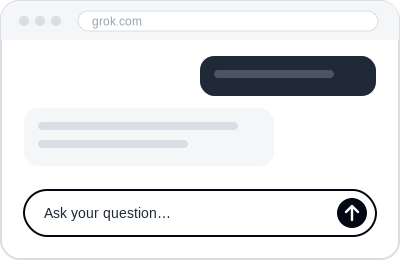
4Save it, start a new chat and ask.
Some Grok plans upload the ZIP; others show a New Skill form, where you paste the skill text in. Menus in Grok change often, so names may differ slightly.
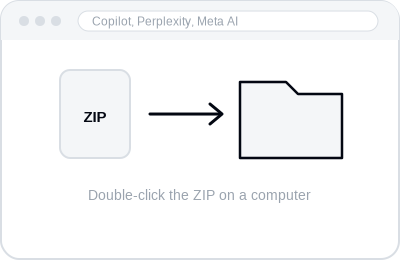
1No Skills page? Unzip the download on a computer.
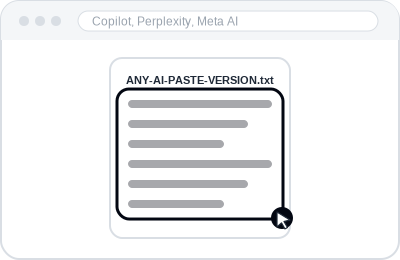
2Open ANY-AI-PASTE-VERSION.txt and copy everything.
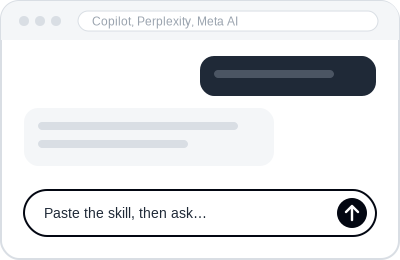
3Paste it into a new chat, then ask your question.
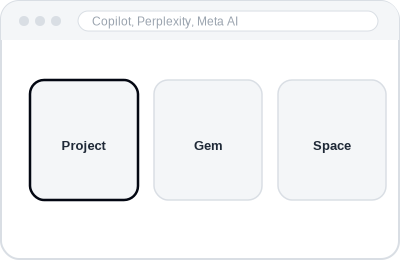
4To keep it on, add it to a ChatGPT Project, Gemini Gem or Perplexity Space.
Using Claude Code, Codex, Cursor or another coding agent? Unzip it into the skills folder, for example unzip key-change-worship-planner.zip -d ~/.claude/skills/
On your phone? Go ahead and buy: the download link goes to your email and works for a year. Adding a skill is easiest from a computer, in a web browser or the desktop app, so open that email there when you're ready. Want to try it on your phone today? Open the ZIP, copy ANY-AI-PASTE-VERSION.txt into any chat app, and ask.
Start with the free Set Builder
A small skill that turns your song list and the sermon theme into an ordered set with keys, transitions and a simple run sheet.
- Ordered for energy and flow
- Key changes with a transition for each
- A one-page run sheet
Get Key Change Worship Planner
Pay once, use it whenever you need it. Includes the free Set Builder too.
How to add it
Upload the ZIP under Skills in Claude, or the unzipped folder in Gemini (in Grok, upload the ZIP or paste the paste-in file into a new skill; in ChatGPT, add it to a Project), then start a new chat and try: "Build a 22-minute worship set for a sermon on hope from Hebrews 6:19. Here are the songs we know, with keys:"
See the clicks for your app. Every download also comes with a paste-in version for any other chat, and a Start Here PDF.
Step-by-step guides with pictures: Claude · ChatGPT · Gemini · Grok
Key Change Worship Planner
Sets, keys and capo, rehearsals, team schedules and run sheets.
$5 one time
- Set lists by theme, season and key flow
- Key choice for leaders and congregations
- Transposition and capo charts
- Rehearsal plans that finish on time
- Team rotations and scheduling
- Service run sheets and licensing reminders
- Updates for a year
Card, Apple Pay or Google Pay through Stripe. Taxes calculated at checkout. 14-day refund.
Giving it as a gift? Buy it, forward the email, and print a gift card.
See a real answer from the full skill
You ask: Our song is in B and our leader's top comfortable note is D5. The melody goes up to E5 and down to B3. What key should we use?
Try A
Moving from B to A drops everything 2 semitones, so the melody runs from A3 to D5, right at the top of your leader's comfortable range and not past it.
For the congregation
A top note of D5 is fine for most rooms. If people drop out on the chorus, try G: the top note becomes C5.
For the guitars
- A: play open A shapes, or capo 2 with G shapes
- G: no capo, G shapes
Give bass and keys the chart in the real key, and update the key in your planning software so the slides and click match.
Into more than one hobby? The Skill Pass gets you all 70 hobby skills, this one included, for $19.
New to AI skills?
Key Change is a skill: a set of expert instructions you add to your own Claude, ChatGPT, Gemini or Grok account, so it answers like a worship music director who knows the craft.
- Using Gemini? Unzip it and upload the folder on its Skills page. Using Grok? Under Settings, Skills, upload the ZIP or paste the paste-in file into a new skill. Using ChatGPT? Add the included paste-in file to a Project.
- New to all of them? Claude is an AI assistant made by Anthropic. Make an account at claude.ai: skills work on every Claude plan, including the free one, with code execution turned on in Settings, Capabilities.
- Try the free Set Builder skill first. If you like it, the full skill is one purchase.
Not ready for an AI app? The free capo and key transposer on this site works in any browser, no account needed.
Free worship leading tools
No sign-up, they run in your browser.
Made by Nic Hubert, What If Labs
I run What If Labs from British Columbia, Canada. I build each skill with AI help and test it on real questions, and a separate reviewer checks it before it goes on sale. If it doesn't do what this page says, email me at hello@whatiflabs.ai and I'll fix it or refund you.
No reviews yet: this store is new. Tell me how it went and I'll use it to make the skill better.
Questions
Will it give me lyrics or chord charts for songs?
No. It works from titles, keys and song structure. Get lyrics and charts from licensed sources, and project or print them under your CCLI, One License or similar licence.
Does it work with Planning Center or other software?
Not directly. Paste your song list, keys and team, and copy the set, run sheet or schedule back into Planning Center, ProPresenter or whatever you use.
Which churches is it for?
Contemporary, blended and traditional services in any Christian tradition. Tell it your style and it can work with hymns, choruses, choirs and bands.
Can it help with a new band?
Yes. Tell it who you have and how experienced they are, and it plans simpler arrangements, rehearsal steps and parts for each player.
What do I need to use it?
A Claude, ChatGPT, Gemini or Grok account. In Claude it works on any plan, including the free one, with code execution turned on (Settings, Capabilities). Free accounts have lower usage limits, so long planning sessions go further on a paid plan. It works in Claude on the web, the desktop app and Claude Code. In Gemini and Grok, upload it on the Skills page. In ChatGPT, personal plans (Free, Plus, Pro) don't have Skills yet, so you add the included paste-in file to a ChatGPT Project; Business, Enterprise and Edu plans can upload the ZIP under Skills. Coding agents that read SKILL.md files work too. Using Copilot, Perplexity, Meta AI or another chat with no Skills page? Every download includes a paste-in version (ANY-AI-PASTE-VERSION.txt) that works in any AI chat.
What if it doesn't work for me?
Email hello@whatiflabs.ai within 14 days of buying and we'll refund you in full. No forms, no questions.
How is this different from just asking an AI?
A general AI answer is often vague or skips steps. The skill gives your AI an expert's method: what to ask you first, the checklists and calculations to run, and the mistakes to warn you about. You get consistent, specific answers instead of a different guess each time.
Do I pay every month?
No. It's a one-time price, and updates to the skill are free.
Can I get a refund?
Yes. Every purchase comes with a 14-day refund, no questions asked. Reply to your receipt email and we'll take care of it.
What if it gets something wrong?
It shows its working, so you can check numbers and dates. Tell it what's off and it will correct itself. For anything where a mistake costs money or safety, double-check before you act, as you would with any advice.
Is my information private?
The skill runs inside your own Claude, ChatGPT, Gemini or Grok account, and we never see your chats. When you buy, Stripe handles the payment and we keep your email and order so we can send the download. The terms and privacy page has the details.